Darul Irfan · Product showcase

The Silsila's app, in your hands

The Qur'an with the Silsila's translation and tafsir, hadith, the library, Zikr with the Sheikh and every Halqah, in English and Urdu, on iPhone and Android.

65bilingual slides
281features
110app screens
For presenting

The showcase

Open the interactive showcase full screen to present; arrow keys move through it. The PowerPoint and PDF carry the same 65 slides: the vision, the app tour, automation, administration, live Zikr and the Silsila Markaz.

Why this matters

One Silsila, made for today

How the app brings all the teachings together, gives existing and new members a better experience, reaches a new generation, and puts the Silsila on every major platform.

Every teaching, one living appThe Qur'an with the Silsila's own translation and tafsir, hadith, the library, Al-Murshid, bayans and Zikr, joined up: from an ayah to its tafsir to the Sheikh's bayan in two taps.
A better experience for everyoneCalm, clear and bilingual, with Urdu in Nastaliq, large text and offline reading: easy for those with the Silsila for decades and for someone opening it today.
Reaching a new generationYoung people live on their phones, YouTube and social media. The Silsila now meets them there: a daily ayah, hadith and saying to share, gentle reminders, and a live stage that looks beautiful on any screen.
On every major platformiPhone, Android, regional websites, YouTube, Facebook and Paltalk, one Silsila and one look: a modern portfolio for a timeless message.

Bringing in younger people and new audiences

Open doors: anyone can follow a live Zikr from a website link with just a name and a city, no account or download needed.

Every Daily Zikr streamed to YouTube and Facebook with the live stage, where new audiences already are.

Daily cards (ayah, hadith, Aqwal-e-Sheikh) made to forward on WhatsApp and social media, each one an invitation.

Invitations in seconds: a WhatsApp link or a code from any Ijtema or gathering.

English and Urdu throughout, so second-generation members abroad feel at home.

The Markaz's reports show new members, website visitors and countries each month, so outreach can be measured and improved.

For Hazrat ji and the admins

From starting the Zikr to streaming everywhere, automatic

No typing and no checklists: the Zikr starts itself from Paltalk, the stage follows the voice, and the same picture reaches the app, the websites, YouTube and Facebook. The Silsila's admins only monitor.

Automation

From Paltalk to every screen, by itself

When Hazrat ji begins on Paltalk, everything follows with no one typing or tapping Start.

  • The Zikr starts in the app and members are told
  • The websites go live and Join lights up
  • The YouTube and Facebook picture is the live stage itself
  • Paltalk's host cues move the stage; when the Dua begins it shows, and the session closes five minutes later
Automation

The stage follows the voice; taps are only the backup

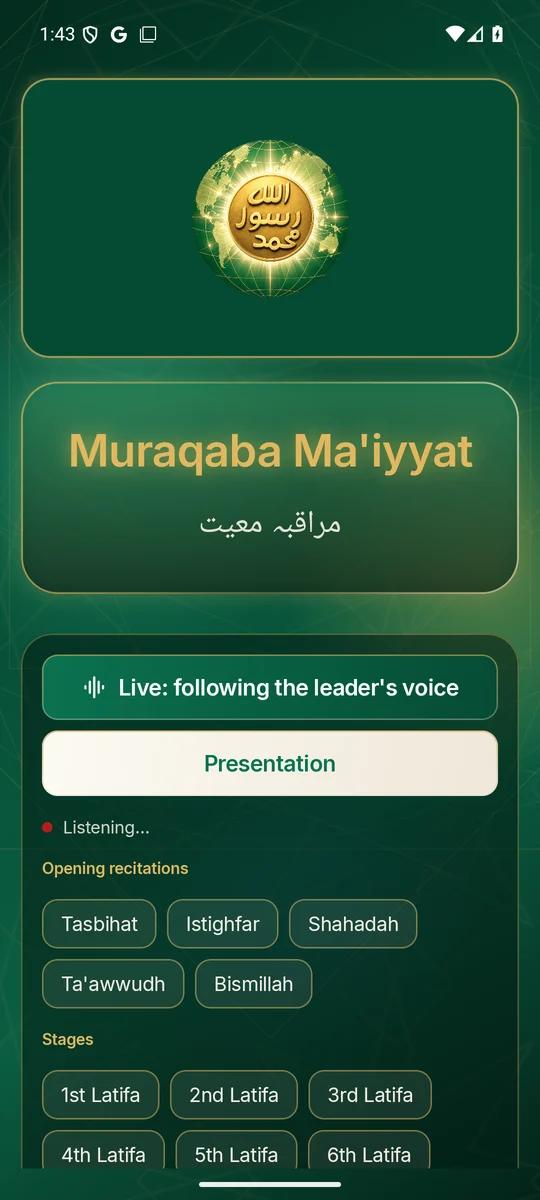
Go Live listens on the leading phone and moves the stage as each recitation, Latifa and Muraqaba is called.

  • Hands-free for the whole session, the screen stays awake
  • If the sound is unclear, one tap on the stage does it
  • Undo puts back a wrong stage at once
Streaming

Better than a chat-window stream

Viewers no longer watch a Paltalk chat window. They see the stage: the emblem or Hazrat ji's photograph, the current Latifa in light, the Arabic recitations.

  • One full-screen picture made for YouTube and Facebook
  • Each Latifa numbered, each Muraqaba named, English with Urdu
  • The same stage in the app and on the websites
Monitoring

Admins monitor; the system does the work

The manual steps are gone. Admins watch who is listening, see what needs attention, and step in only when needed.

  • Who is listening, live, in every session
  • Every Halqah on air at a glance in the Silsila Markaz
  • A morning summary of yesterday's Zikr on officers' phones
For admins and live leaders

Administration and live Zikr

Who looks after what, how Hazrat ji's admins and each Halqah's leaders run a live Zikr, and what members, website visitors and the live streams see at every stage. Screens are from the Android app; iOS matches except Apple sign-in. Member names, emails and places are blurred.

Super adminEvery Halqah and every person. Makes, renames and retires Halqahs, places anyone in any Halqah, publishes Today's pictures.
AdministratorRuns a Halqah: its people, its Admins and everything the Admins do. Appoints other Administrators.
AdminPosts, Zikr, meetings and people of the Halqah. Leads the live stage, removes anything from it, ends the session.
MemberReads and watches, joins the Zikr, sends dua requests and the ready-made chat messages.
Website visitorGives a name, city and country, then follows the live Zikr with no controls. Counted in attendance.
Super admin

Halqahs and people

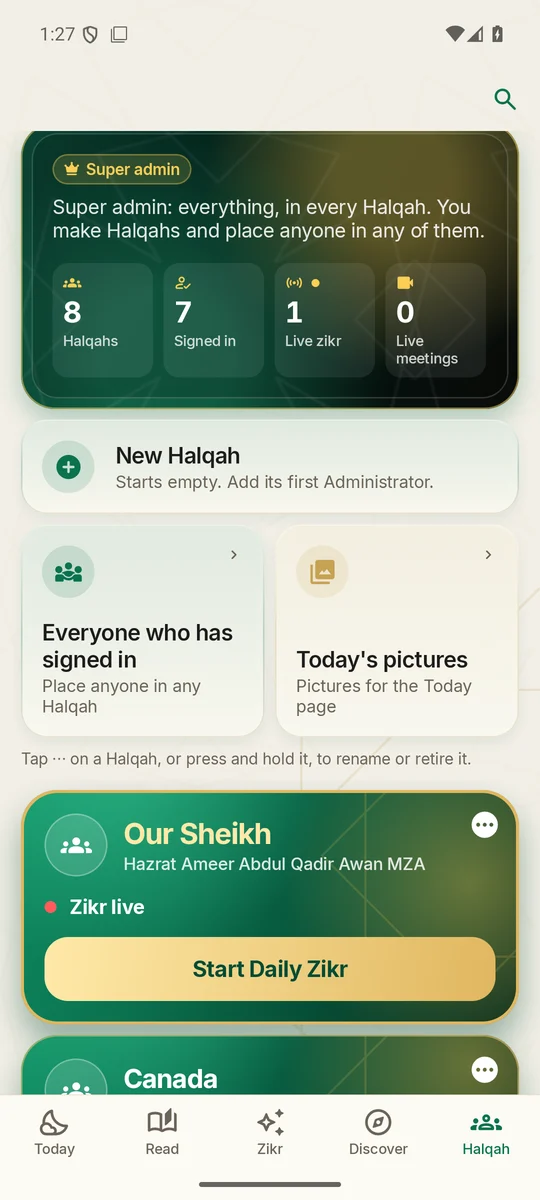
The Halqah page opens on a dashboard: Halqahs, people signed in, live Zikr and live meetings.

  • New Halqah: a name and a description; it starts empty and gets its first Administrator
  • ⋯ on a Halqah: rename, describe or retire it (people and history are kept)
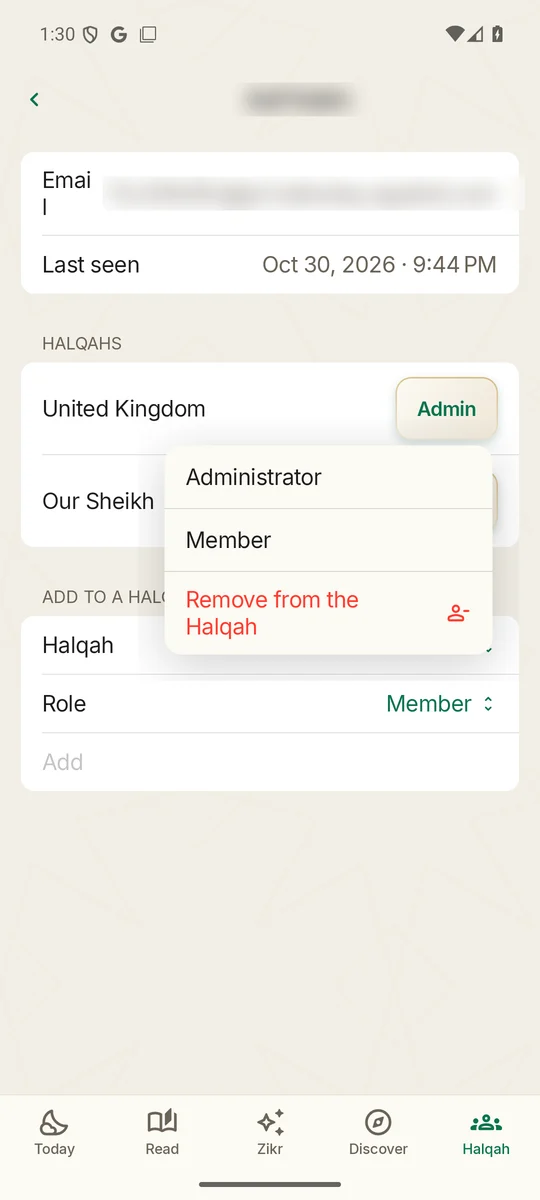
  • Everyone who has signed in: search, change a role in any Halqah, remove, or add to another Halqah
  • Nobody can change their own place or another super admin's
Super admin

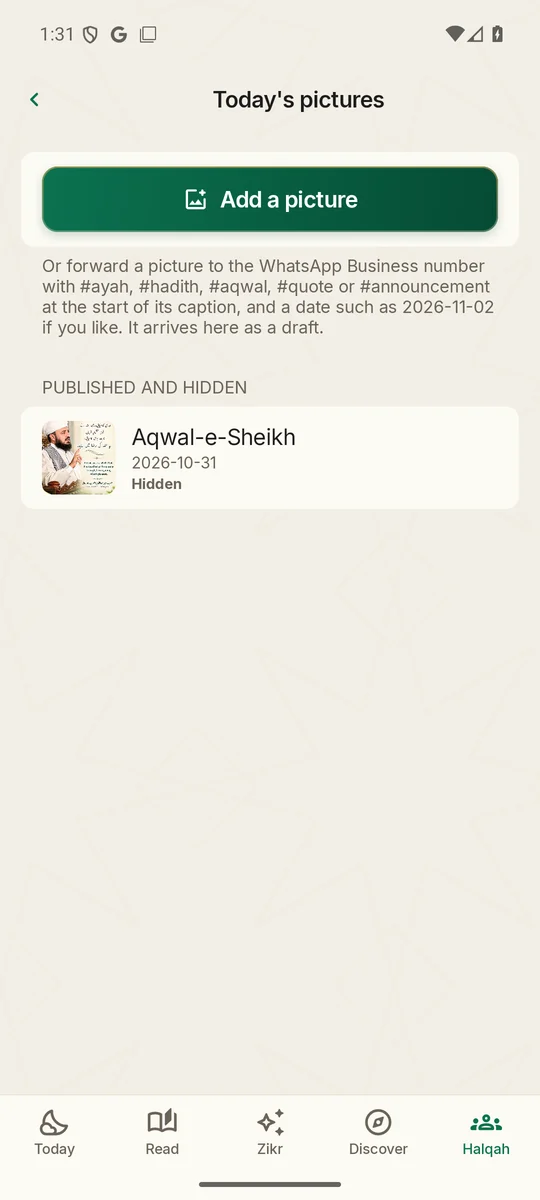
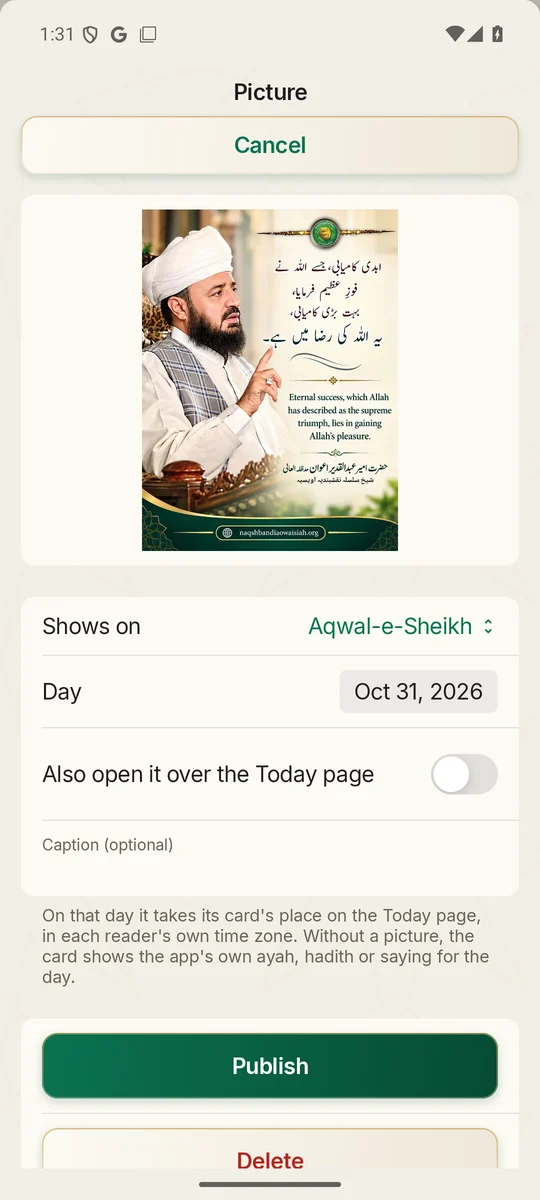
Today's pictures

The Ayah, Hadith, Aqwal-e-Sheikh, daily quote or announcement picture for a day, in every reader's own time.

  • Choose where it shows and on which day; announcements can run several days
  • Also open it over the Today page, with an optional caption
  • Forward a picture to the WhatsApp Business number with #ayah, #hadith, #aqwal, #quote or #announcement: it waits as a draft
  • Publish, save as a draft, hide or delete
Halqah admin

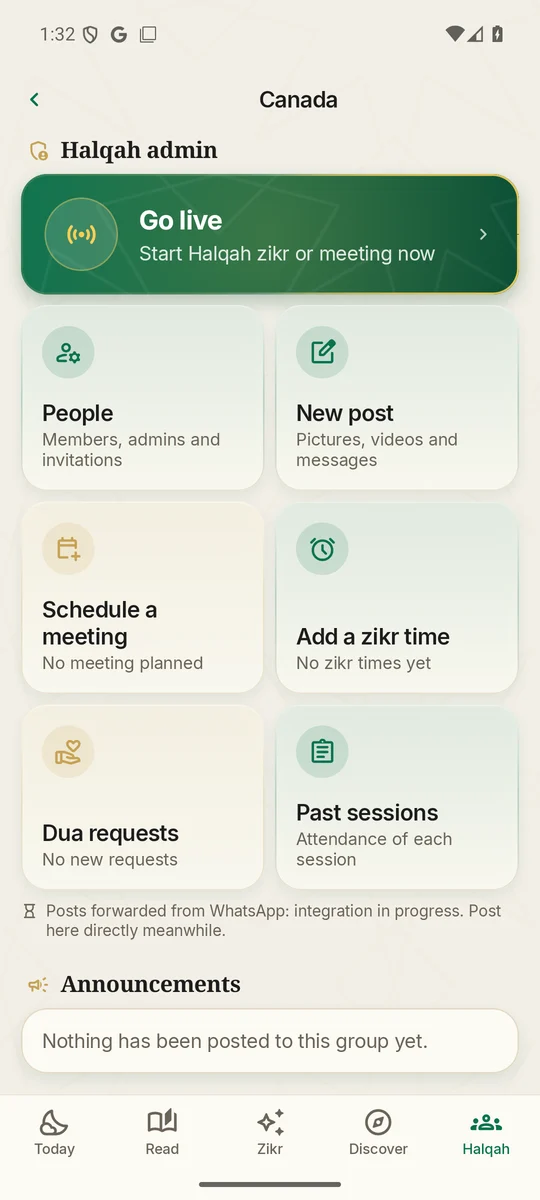
Running a Halqah

Every Halqah's Administrators and Admins have a Halqah admin section: Go live and six tiles.

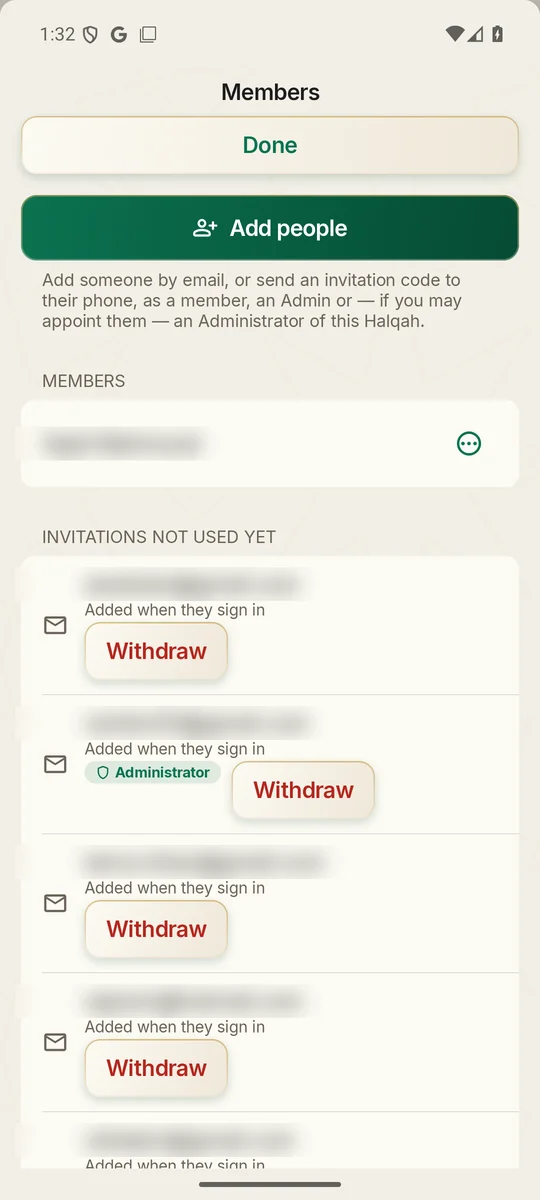
  • People: add by email, or make a single-use code sent from your own phone (lasts 1 to 90 days)
  • Make someone an Administrator, an Admin or a member; withdraw an invitation not used yet
  • New post: paste from WhatsApp, up to 10 photos or videos; publish (members are told) or keep as a draft
  • Meetings and Zikr times in each member's own time; a Zikr time can play a recording by itself
  • Dua requests and past sessions with attendance
Live Zikr

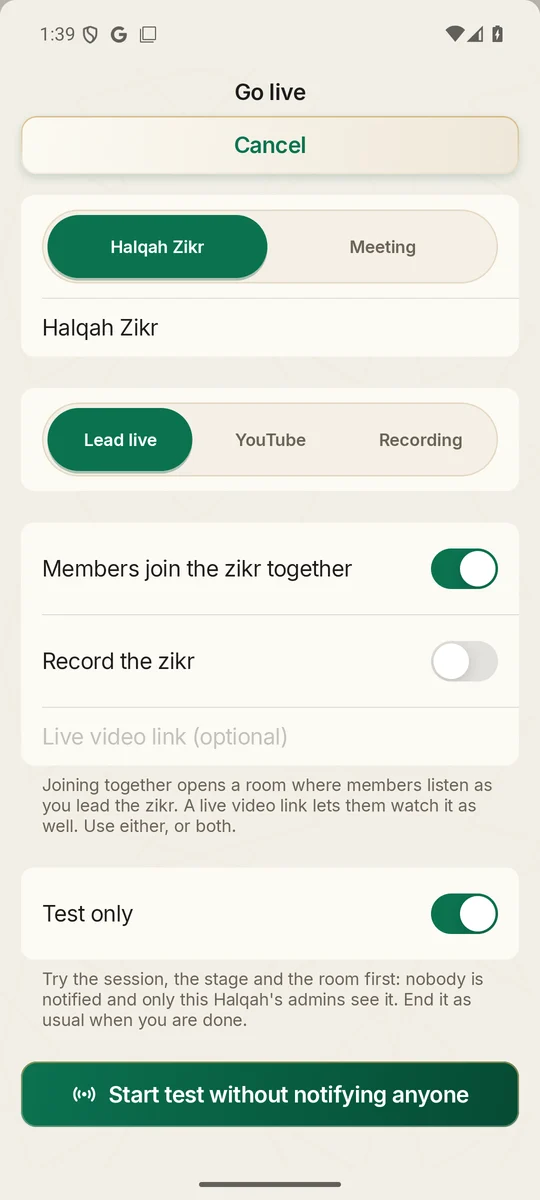
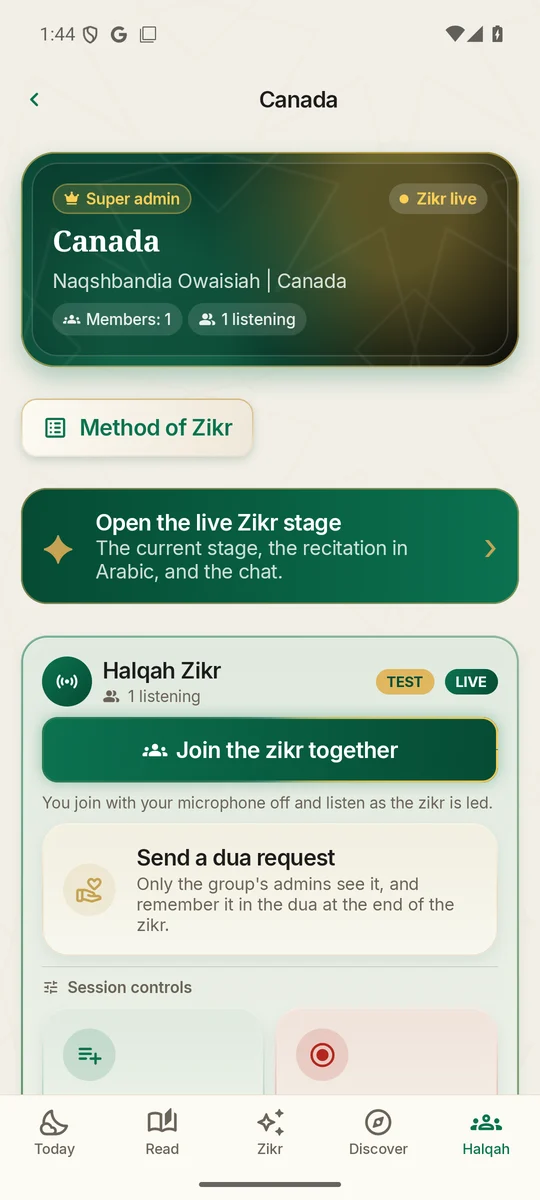
Go live, or test first

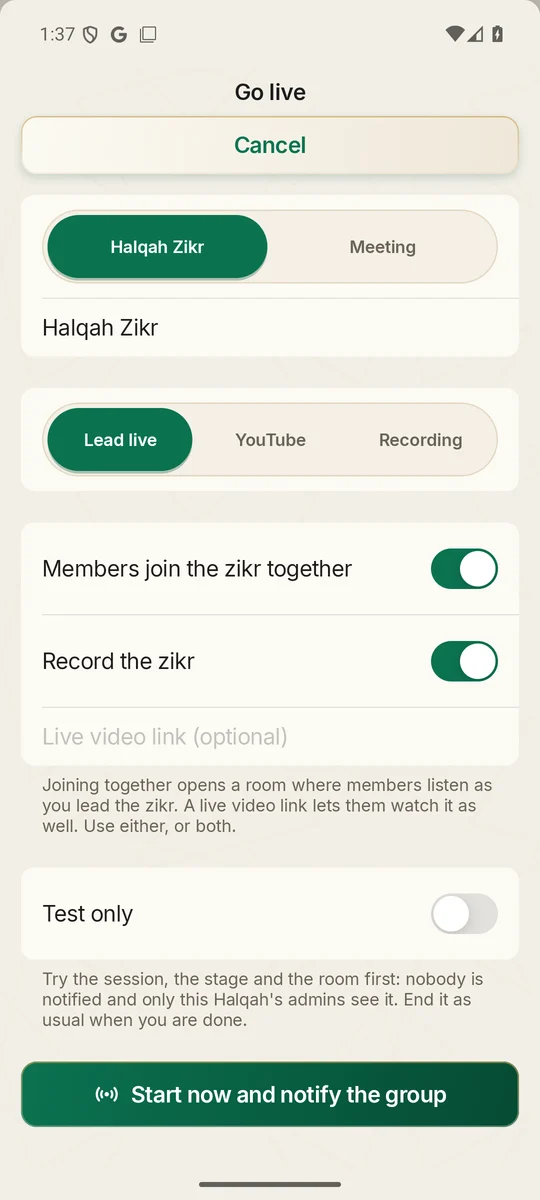
Choose Halqah Zikr or a meeting, then how the group joins.

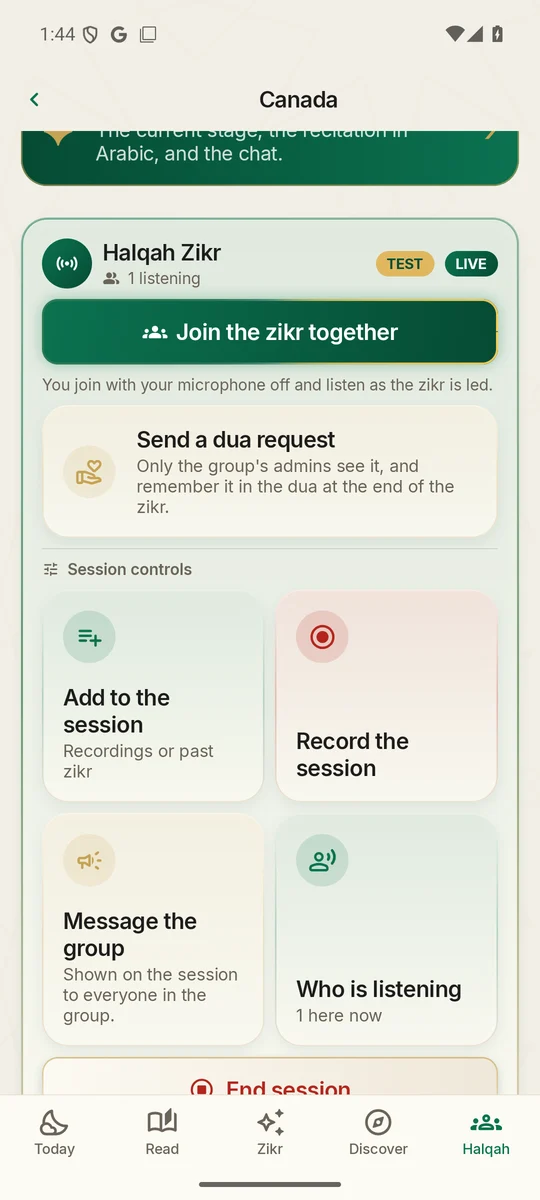
  • Lead live: members join together and listen; optionally record it or add a live video link
  • YouTube: a live link, or past Zikr from the channel played to everyone at the same moment
  • Recording: the Halqah's own recordings
  • Test only: nobody is notified and only the Halqah's admins see it, marked TEST
Leading

How Hazrat ji's admins and each leader run the stage

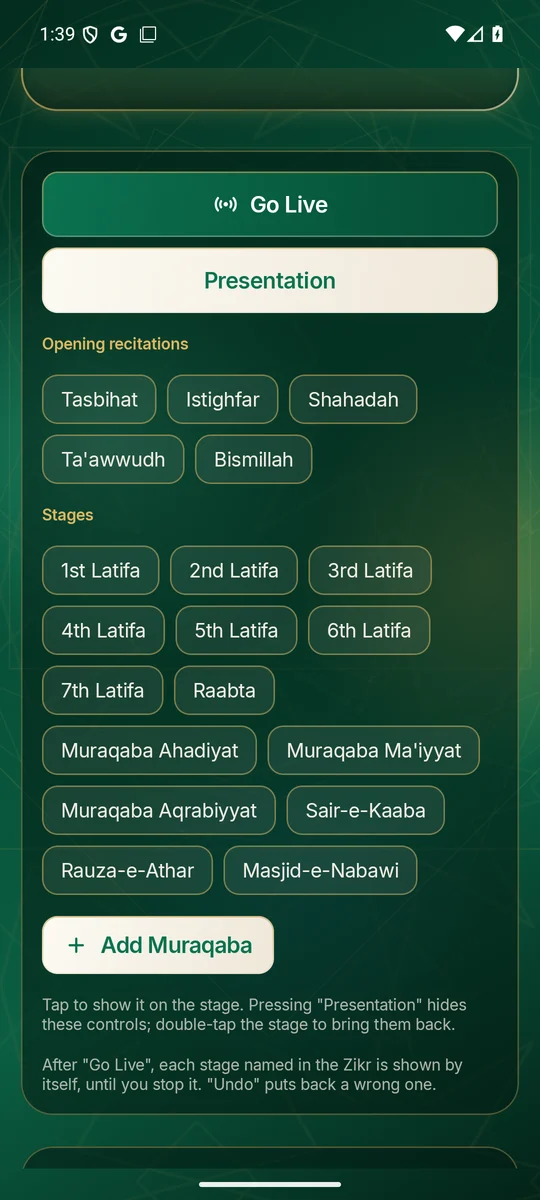
The stage opens full screen. Each stage tapped appears for everyone at once, with a soft chime for members.

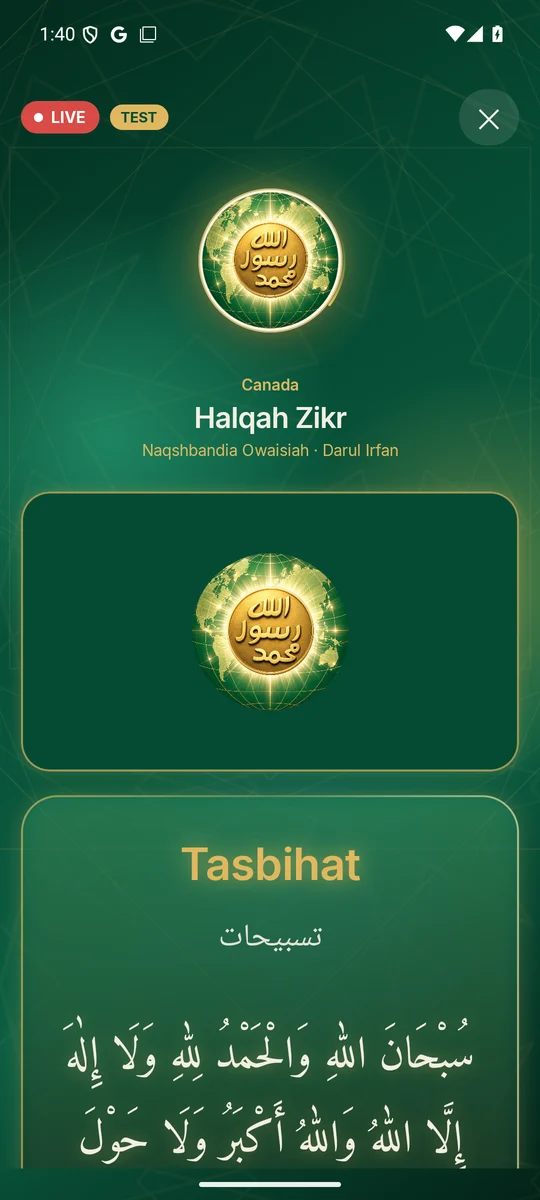
  • Opening recitations: Tasbihat, Istighfar, Shahadah, Ta'awwudh, Bismillah, shown in Arabic
  • Stages: the seven Lataif, Raabta, Muraqaba Ahadiyat, Ma'iyyat, Aqrabiyyat, Sair-e-Kaaba, Rauza-e-Athar, Masjid-e-Nabawi
  • Go Live: the leading phone listens and the stage follows the voice, hands-free; Undo puts back a wrong stage
  • Presentation hides the controls for the stream; double-tap to bring them back
  • Add Muraqaba on the spot; remove any stage announcement or chat message
Members

What everyone sees

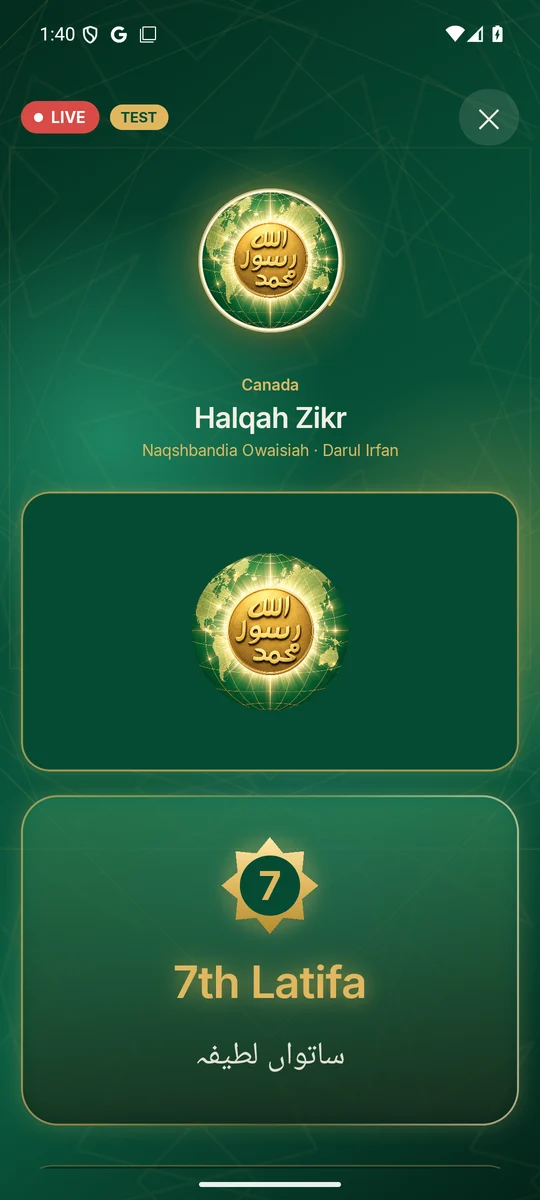
The emblem waits until the Zikr begins; then only the current stage fills the screen, in English with Urdu.

  • Recitations in Arabic; each Latifa with its numbered medallion; each Muraqaba by name
  • On Our Sheikh, Hazrat ji's photograph; on other Halqahs, the Silsila emblem
  • Ready-made messages: Assalamu alaikum, Request for prayers, Ameen, JazakAllahu khairan, SubhanAllah, MashaAllah
Session

Session controls, attendance and duas

From the live card, admins guide the session and close it for everyone.

  • Add to the session, record it, message the group (optionally as a notification)
  • Who is listening, right now
  • End the session for everyone; it stays open until then
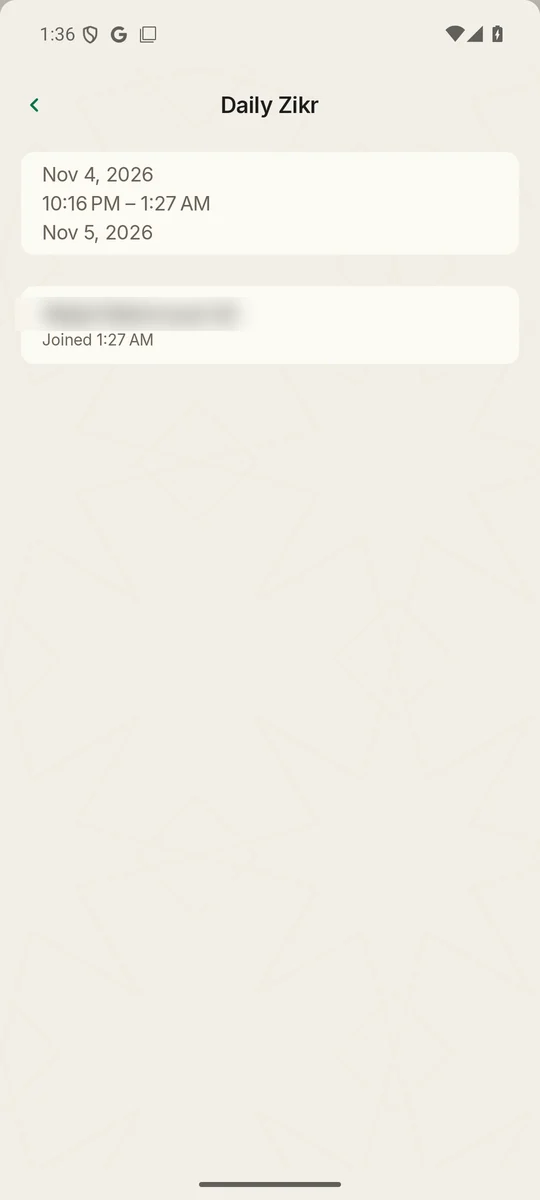
  • Past sessions keep who joined and when, app members and website visitors alike

A live Zikr, step by step

Before

Members see the next Zikr in their own time, a greyed Join, Remind me and Send a dua request.

Websites
Not live; Join Live Zikr is greyed out.

Rehearse (optional)

Go live › Test only › Start test without notifying anyone. End the session when done.

Websites
Shown as Test Zikr.

Start

Go live › Halqah Zikr › Lead live, YouTube or Recording › Start now and notify the group. For Our Sheikh, Hazrat ji starting on Paltalk starts it by itself.

Members
"Halqah zikr has started"; the card shows Zikr live and the stage opens once.
Websites
Live now; Join Live Zikr lights up.

Joining

Members join the room with the microphone off, or listen and watch together at the same moment.

Websites
Name, city, country, then the full-screen stage. Our Sheikh with live sound.
YouTube & Facebook
The stage picture with the live sound.

During

The leader taps each stage or lets Go Live follow the voice. Chat, Add Muraqaba, Message the group, removals.

Everywhere
The emblem moves to the corner; only the current stage shows, with a burst of light at each change.

Dua

When the Dua begins the stage shows Dua. Members' dua requests have reached the admins.

Paltalk
Started from Paltalk, the session closes by itself five minutes later.

End

End session › End the session for everyone?

Members
The live card and stage clear.
Websites
The Zikr has ended. JazakAllahu khairan.
Admins
The session is in Past sessions, with attendance.
For super admins and the Silsila Markaz

The Silsila Markaz: organisation, analytics and reports

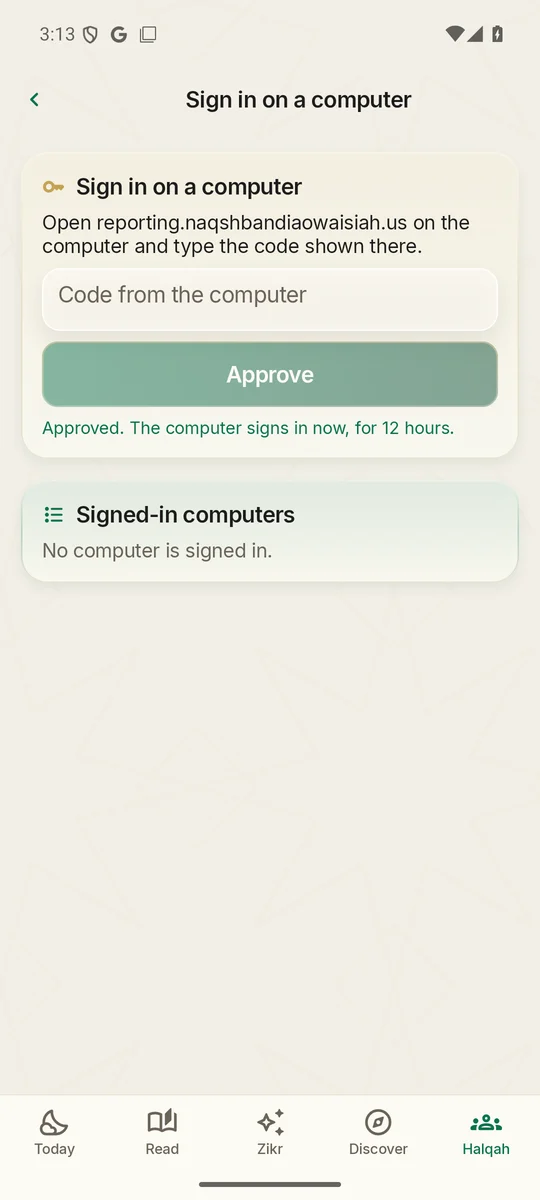
The whole organisation managed centrally, with full analytics and reporting for every Halqah, in the app and on reporting.wajidali.us. Member names are blurred in these screens.

Silsila Markaz

One organisation, run centrally

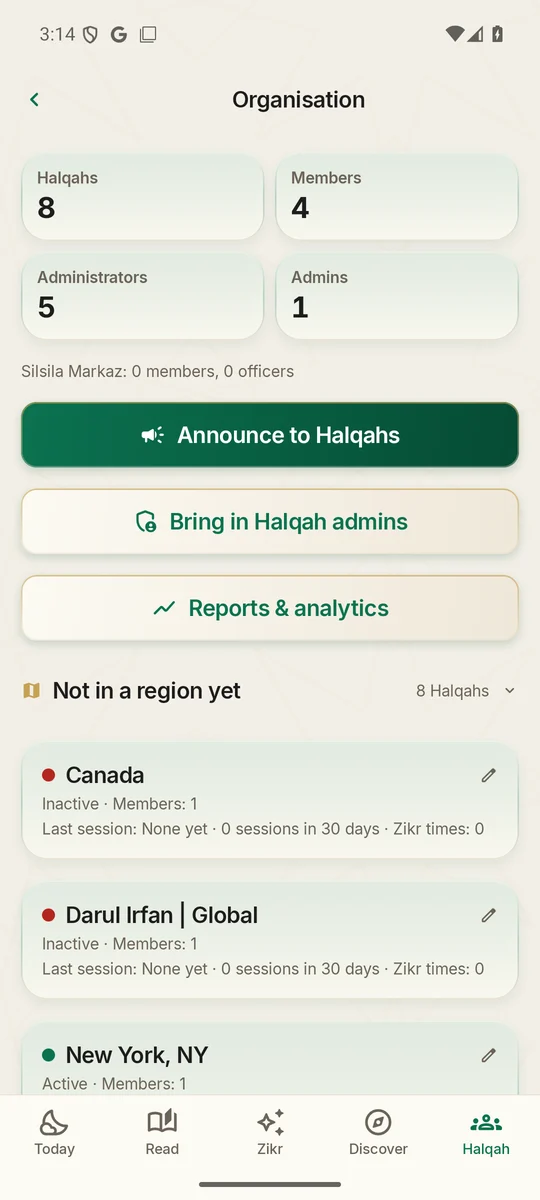
A new group, the Silsila Markaz, sees every region and Halqah: its people, its admins, its Zikr times, and whether it is live now.

  • Regions, countries and cities for every Halqah
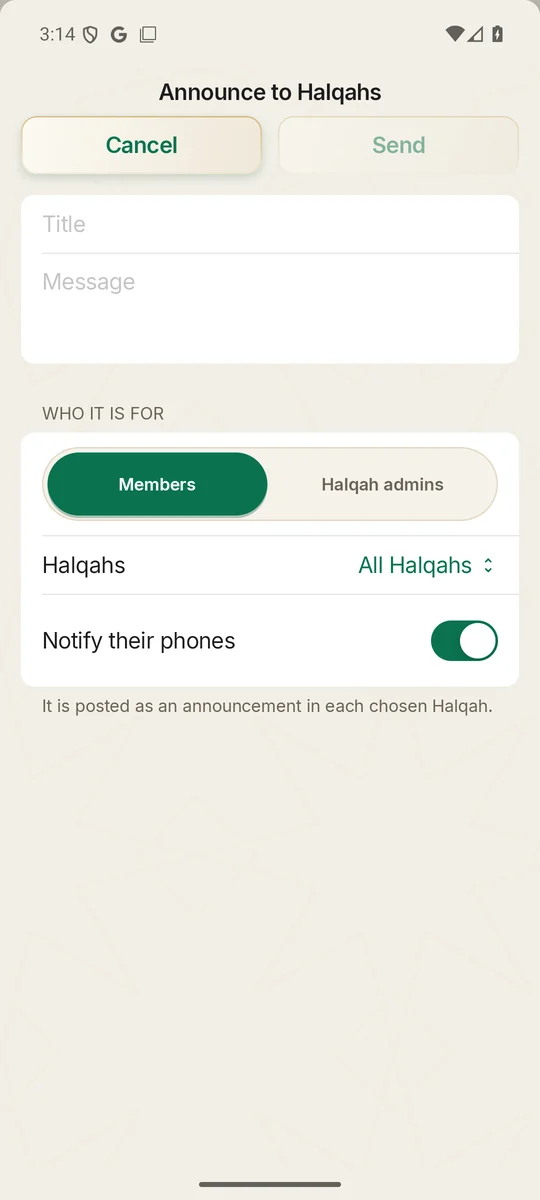
  • Notices to every Halqah, a region, or chosen Halqahs, with a notification
  • Every Halqah's admins brought into the Markaz for global notices and meetings
  • Only super admins and the Markaz's officers see the reports
Analytics

Analytics for every Halqah

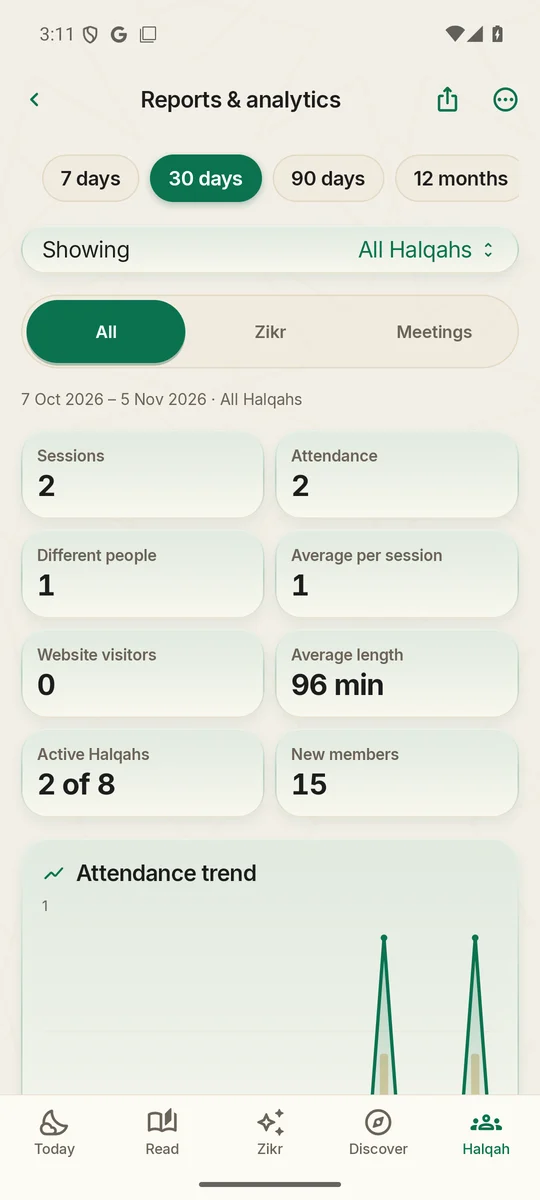
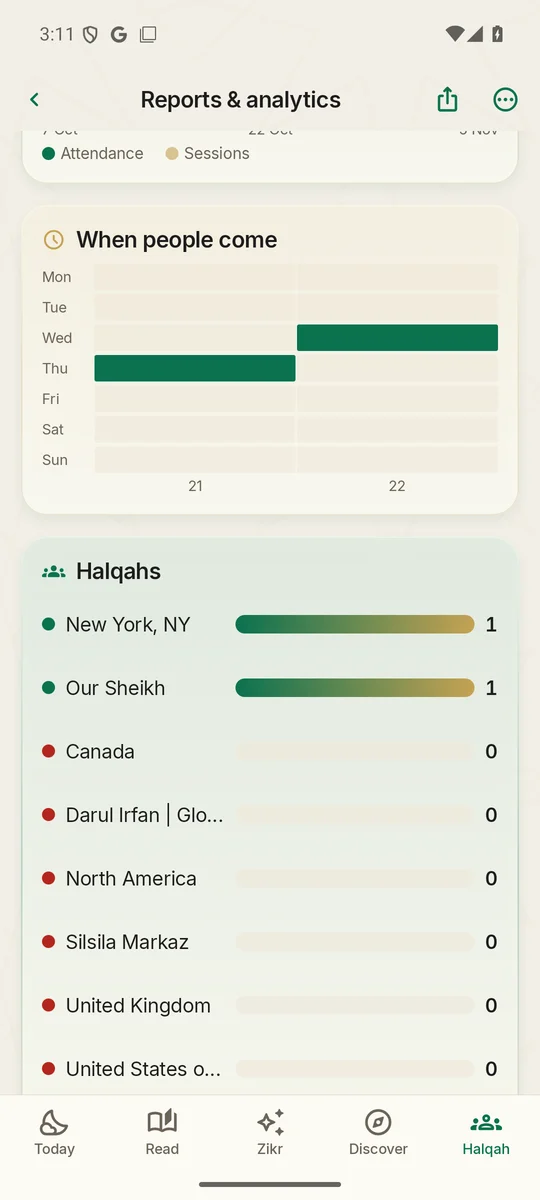
Attendance, different people, app and website visitors, against the period before, for any Halqah, region or time.

  • Trends day by day, and the busiest weekdays and hours
  • Regulars, and those not seen for three weeks so their Halqah can call
  • Insights worked out from the figures: growth, quiet Halqahs, sessions that ran by themselves
  • Test sessions are never counted
Reports

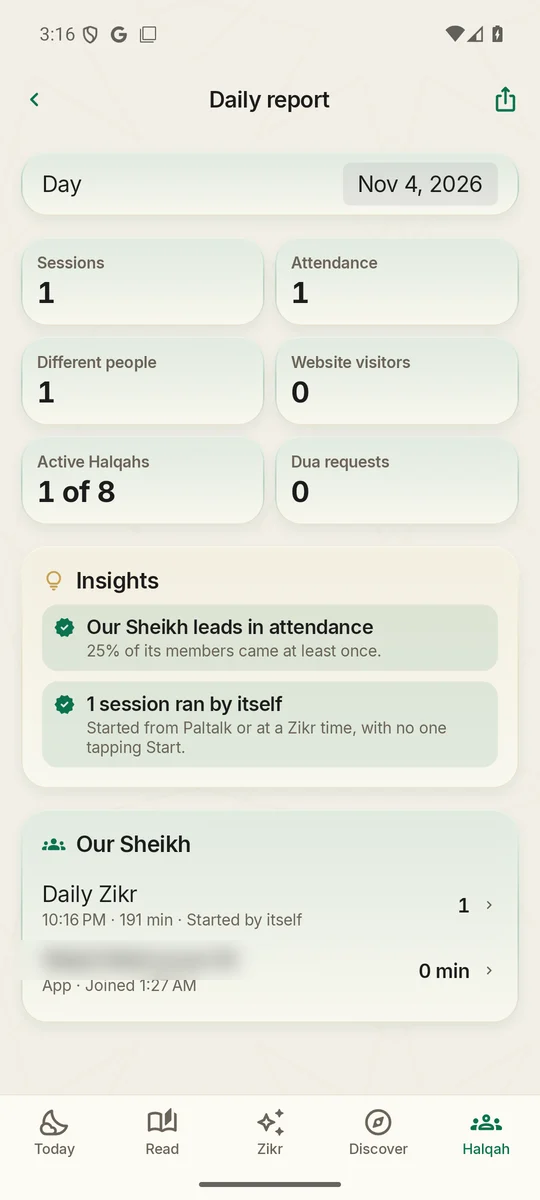
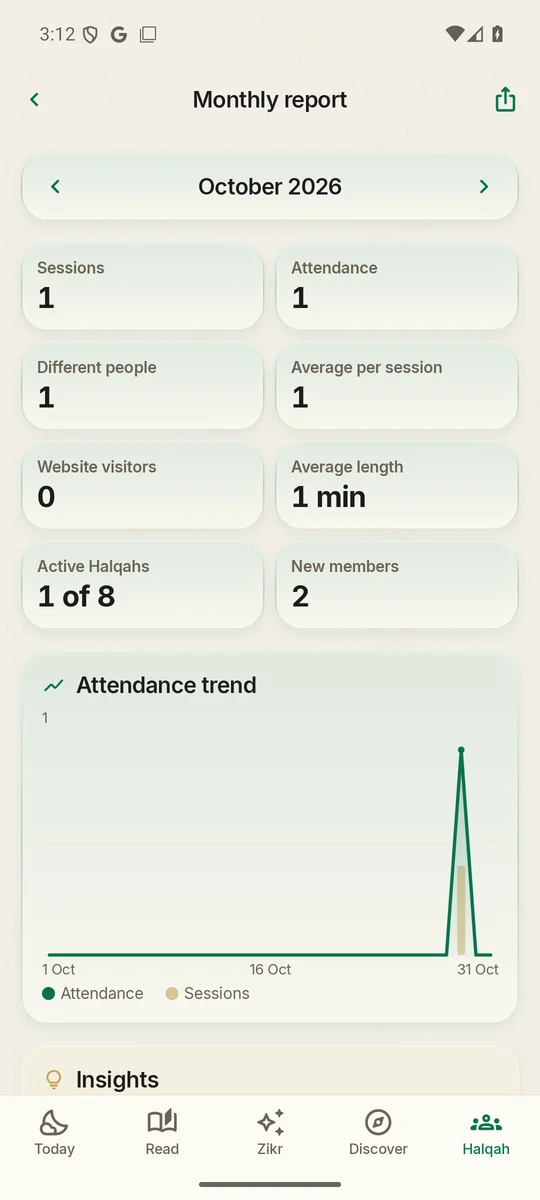
Daily and monthly reports

Every Zikr, who attended and for how long, the Halqahs that held none, and the month's growth with new members.

  • Daily Zikr report, with a morning summary on officers' phones
  • Monthly report on the 1st
  • Spreadsheets of sessions, attendance, Halqahs and people; any report printed or saved as a PDF
On the computer

reporting.wajidali.us

The full dashboard for a computer: overview, daily and monthly reports, Halqahs, people, sessions, the organisation, notices and signed-in computers.

  • The website shows a code; an officer approves it in the app. No passwords to share or lose
  • Each sign-in lasts 12 hours; every computer is listed and can be signed out
  • Private, never indexed, with strict security headers
Since the showcase

What's new

Added after the showcase was made: live Zikr on the web, one stage everywhere, and a Zikr that runs itself.

New · Websites

Live Zikr on the web, for every region

Three public websites, open to everyone, in the app's emerald and gold with the living emblem.

  • oursheikh., namerica. (USA and Canada) and uk.wajidali.us
  • Each Halqah's Zikr appears the moment it is live; anyone joins with a name and a place
  • Listen only, live: the sound comes straight from the Zikr as it happens, never a recording
  • Hazrat ji's admins see every web visitor in the session's attendance
North America website
New · Live stage

The stage, on every screen

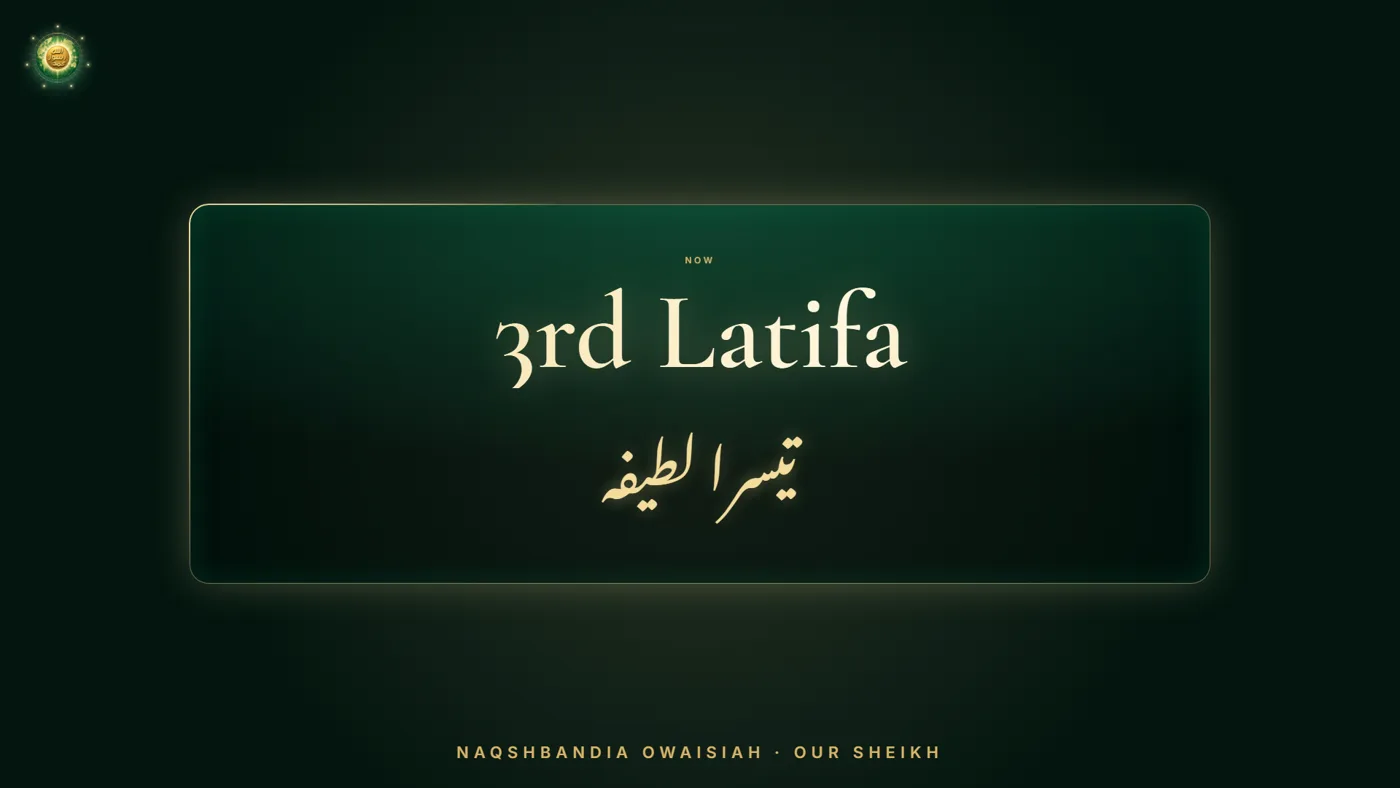
Once a Zikr starts, the emblem steps aside and only the stage being done fills the screen: the opening Tasbihat in Arabic, each Latifa, Raabta and every Muraqaba up to Masjid-e-Nabawi.

  • The same stage in the app, on the websites and in the YouTube and Facebook picture
  • A 1920×1080 broadcast stage for the live streams
  • Every Halqah now has its stage, led by its own Ameer or admins
Broadcast stage showing 3rd Latifa
New · Hands-free

Go Live: the stage follows Hazrat ji's voice

One tap, and the leading phone listens: each recitation, Latifa and Muraqaba Hazrat ji names shows by itself. It was tuned on real Daily Zikr sessions, so it understands the stages the way they are actually called, in Urdu and Hindi script.

  • Keeps listening the whole session; the screen stays awake and it recovers by itself
  • Undo puts back a wrong stage; admins can add a Muraqaba from the stage
  • Paltalk's hosts' cues reach the same stage through the live relay
New · Automation

The Zikr starts and ends by itself

When Hazrat ji is live on Paltalk, the live relay starts Our Sheikh's Zikr in the app and on the websites, and members are told. When the dua begins, the stage shows it, and the session closes five minutes later.

  • Test Zikr: admins try everything without notifying anyone
  • Admins remove any stage announcement, message or dua request
New · Teaching

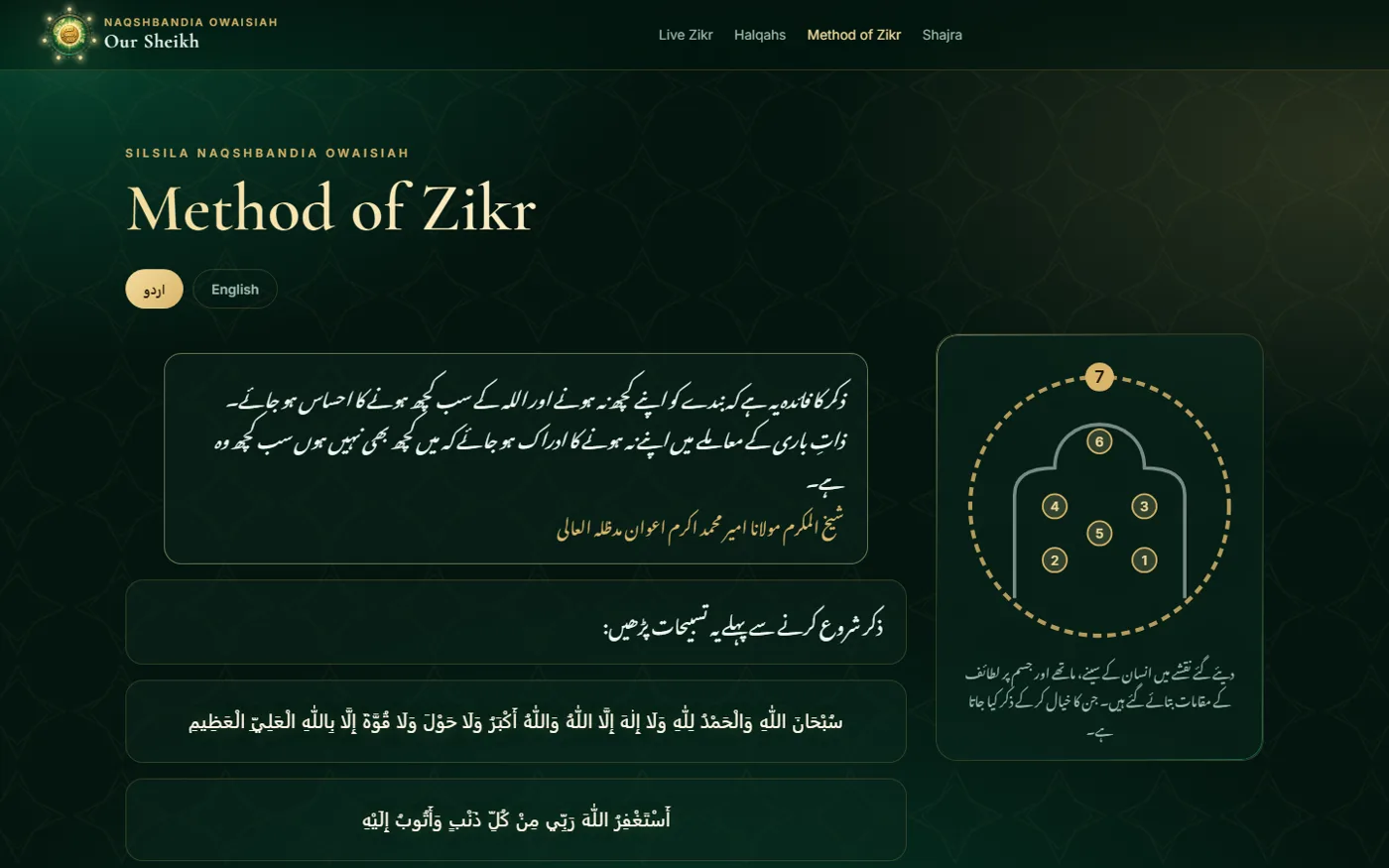
Method of Zikr and the Shajra, online

Word for word from the app, in Urdu and English. The Lataif picture now shows the seventh as a circle around the whole body, in the app and on the web.

  • Opening recitations in Arabic, each Latifa's instruction, Raabta
  • The full chain of transmission, from the Holy Prophet ﷺ to the present Sheikh
Method of Zikr page